Dynamic Access Groups (DAG) Management
The Attribute base Dynamic Role Management module allows users with an Admin role to create, update or delete a Dynamic access group
Definition : A Dynamic Access Group (DAG) is a way for QuartzID users to manage access that will be provisionned and removed automaticcaly, based on criteria(s) defined by the admin user.
DAG Creation
Admin User can create a dag from different places
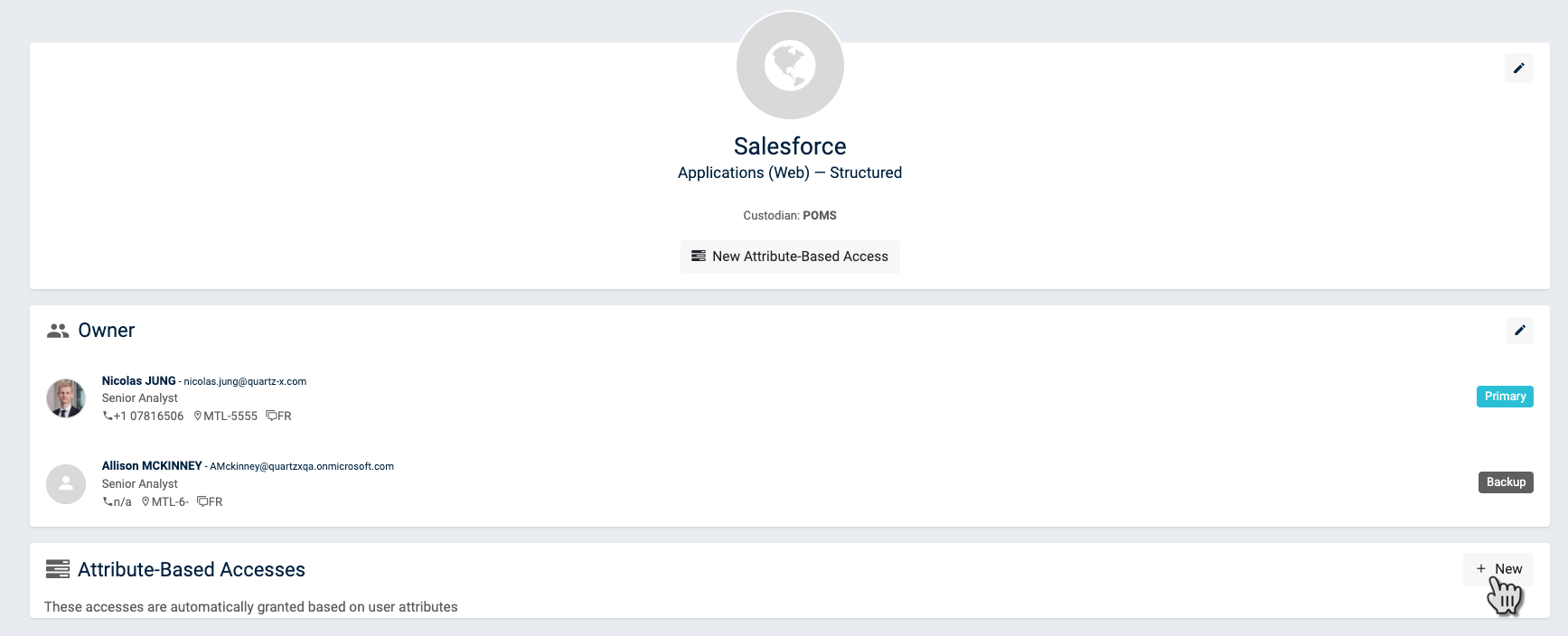
Creation from system page
DAG Modification
DAG Deletion
Make sure to read the entire content of this section before proceeding with a delete of a DAG
Deletion alternatives
When proceeding with the removal of a DAG, two alternative exist :
- I want the DAG removal to be associated with the removal of the associated right
- I want the DAG removal to leave the associated right to the eligible users
Do you want the deletion to result in the removal of the associated right ? If yes, then follow this procedure
- Deletion with removal of corresponding access right (Recommended)
If you want the dag deletion to be associated with the removal of the associated access right, you must first manually remove the access. To do so, you must ensure that the criteria associated with the dag does not have any matches. In other word, that no employee would be given the dag. Exemple :

This will result in the removal of all the employee already associated with the dag, before the modification of the criteria. After a few minutes (depending on the number of user initialy associated with the dag), you should see that the membership section is empty.
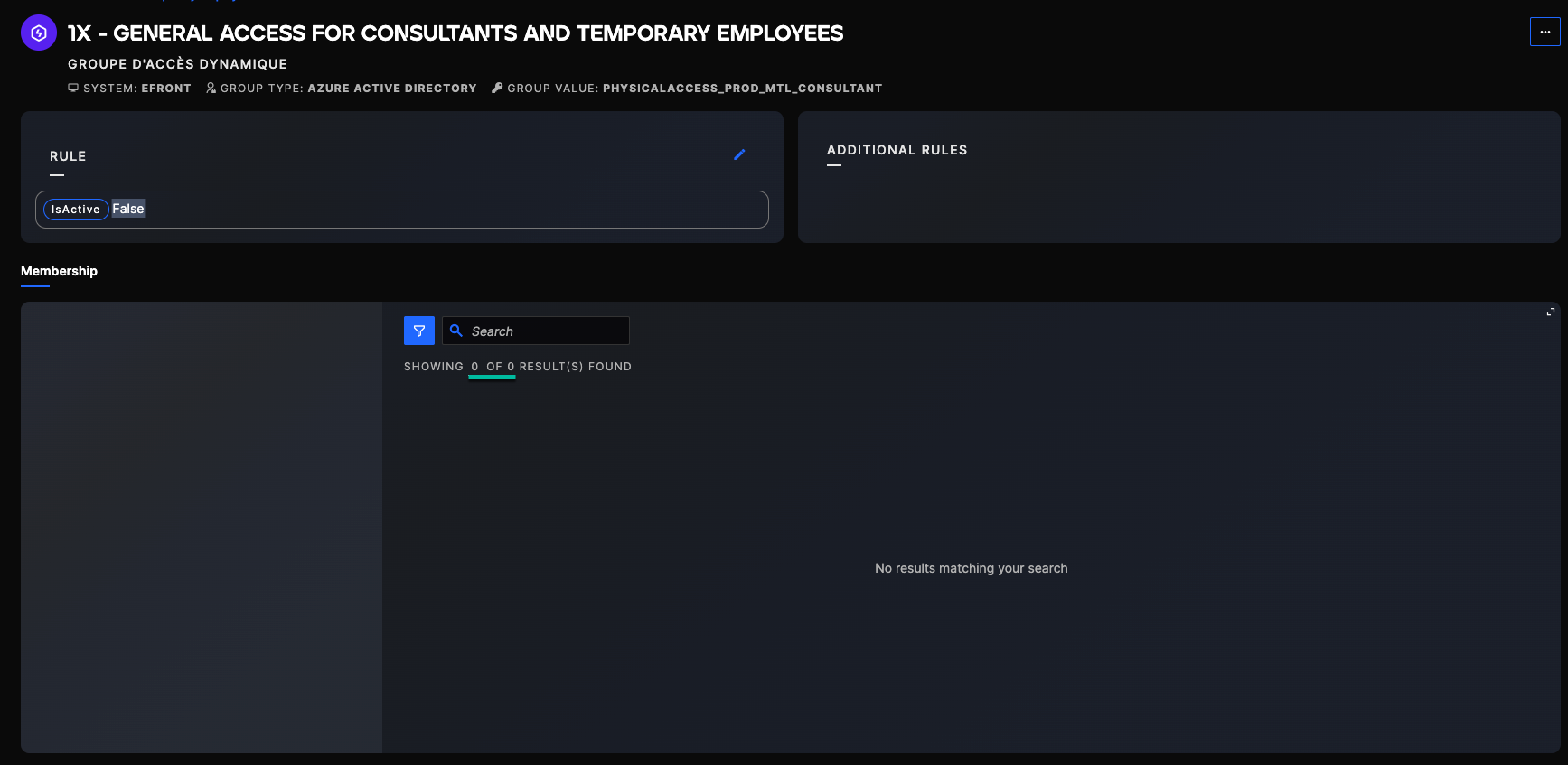
Now you can delete the dag, by using the option in the menu :

- Deletion without removal of corresponding access right (not recommended)
This option should not be used except in very specific cases.
Indeed, since the deletion of the dag WILL NOT remove the associated access rights, once deleted, you will no longer be able to know the number of person associated with the access. All the places where the dag is usually displayed will disappear, and IAM would not have proceed with the removal of the corresponding access right in AD or AAD.