Process a request as a custodian
QuartzIQ is a tool that allows a user to have only the accesses needed to perform his or her functions
Access provisioning Access removal
Access provisioning
- Upon the reception of an access request via email, connect to QuartzIQ using your Chrome browser.
- Click on the “Manage Request” Dashboard.
- Click on the “To Process” and choose your “Custodian” or click on: My Task and Process Custodian in your employee page. You will be redirected to the appropriate request.
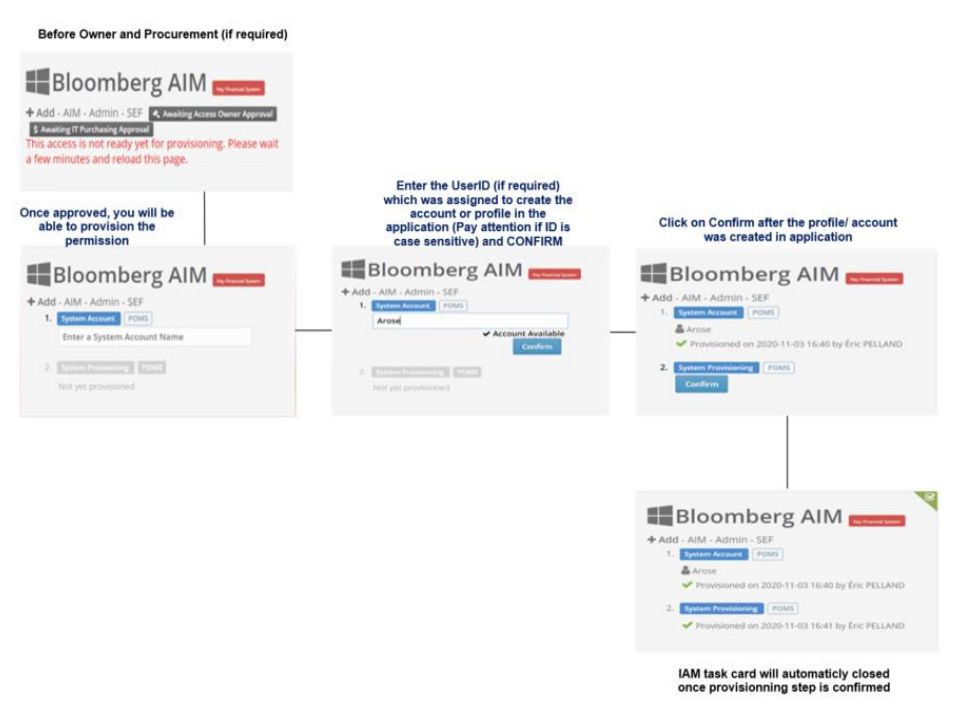
- Click on the request, and on the process lightning icon. And follow the step below:
Access removal
- Upon the reception of an access removal request via email, connect to QuartzIQ using your Chrome browser.
- Click on the “Manage Request” Dashboard.
- Click on the “To Process” and choose your “Custodian” or click on: My Task and Process Custodian in your employee page; you will be redirected to the appropriate request.
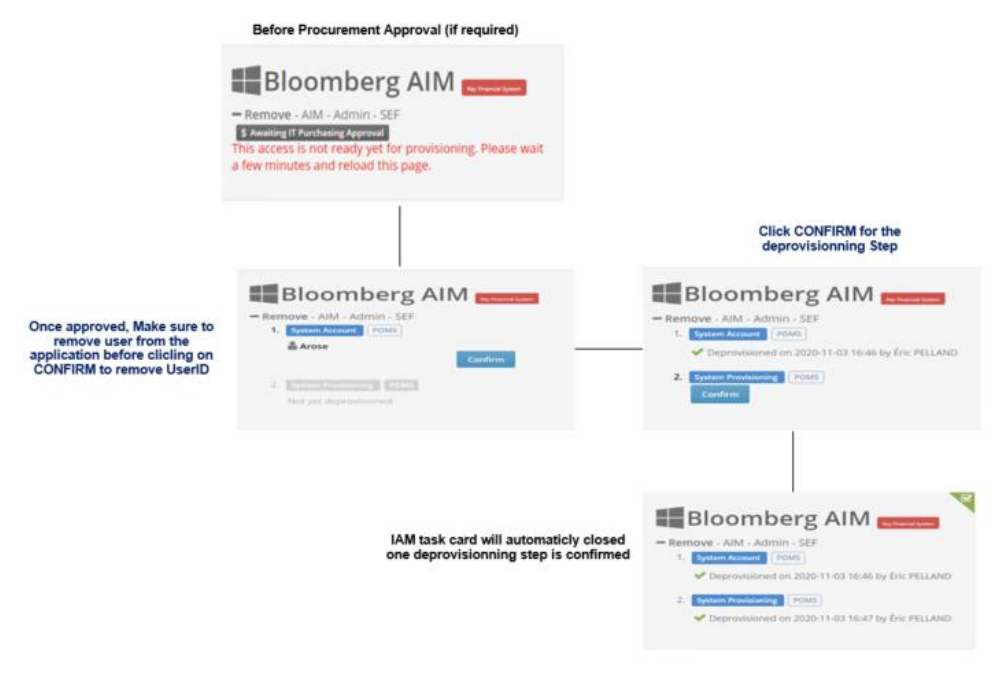
- Click on the request, and on the process lightning icon. And follow the steps below:
Access removal delay
Each access removal has a different delay depending on the type of request. See average delay below:
Departure • Key Financial Systems, non-AD and non-SSO: 1 business day • Other systems: 10 business days
Access Review & Ad-Hoc Request • 10 business days
Transfer • Other access: 10 business days